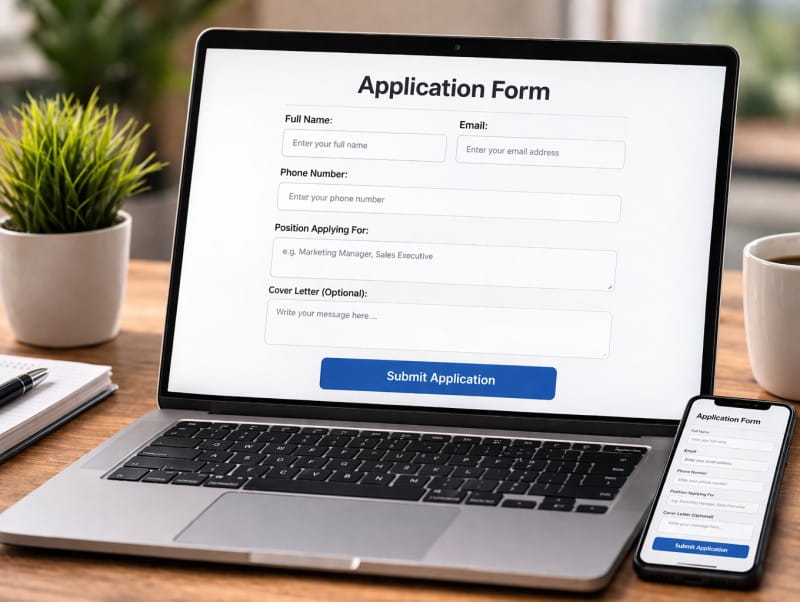
Discovering that your website form is broken is frustrating and fixing it quickly is critical.
For websites, forms are not just functional elements. They are essential to capturing leads, onboarding users, and driving revenue. When something goes wrong, the impact is immediate, even if it is not always visible.
The challenge is not just identifying that a form is broken. It is understanding why it is broken and how to fix it efficiently.
Why Fixing Forms Is Often More Difficult Than It Should Be
When a form fails, the root cause is not always obvious.
You might see a drop in conversions or notice that submissions are not coming through, but that is only the symptom. The actual issue could be happening anywhere in the chain, from frontend validation to backend processing or third-party integrations.
For example, a form might appear to submit correctly while failing to send data to your CRM. Alternatively, a validation script might block submissions on certain devices without displaying an error message.
Without clear visibility, fixing the issue becomes guesswork.
Common Website Form Issues and How to Fix Them
Understanding the most frequent problems is the first step towards resolving them.
One of the most common issues is failed submissions. This often happens when backend processing breaks or when integrations stop working. In these cases, you should start by checking server logs, email delivery systems, and any connected APIs. Ensuring that credentials and endpoints are still valid can quickly resolve many of these problems.
Another frequent issue is broken validation. If users cannot submit a form due to unclear or overly strict validation rules, they will simply abandon it. Reviewing your validation logic and testing edge cases helps ensure that users can complete the form without unnecessary friction.
Display and usability problems are also common. A form may look fine on desktop but become unusable on mobile due to layout issues or unresponsive buttons. Testing across devices and screen sizes is essential to catch these inconsistencies.
Finally, integration failures can silently break your workflow. Even if the form collects data, it may not reach your CRM, marketing platform, or database. Regularly checking these connections ensures that your data flows as expected.
The Problem with Manual Fixes
While it is possible to fix individual issues manually, this approach has clear limitations.
Each time a problem occurs, you need to investigate it from scratch. This can involve reviewing code, testing multiple scenarios, and coordinating between teams. It is time-consuming and often reactive.
More importantly, manual fixes do not prevent future issues. A form that works today could break again tomorrow due to an unrelated update or integration change.
This creates an ongoing cycle of detection and repair, rather than a stable, reliable system.
A Smarter Way to Identify Form Issues
To fix forms effectively, you first need clarity. That means knowing exactly what is failing, where it is happening, and why.
This is where automated testing becomes valuable.
Instead of manually checking forms and guessing at the cause of issues, automated tools simulate real user interactions and track the entire submission process. They can detect whether a form submits correctly, whether the data is received, and whether any part of the process fails.
This level of visibility transforms how you approach fixes. Rather than troubleshooting blindly, you can act on clear, actionable insights.
How qa.ai Helps You Fix Form Issues Faster
qa.ai is designed to do more than just detect problems. It helps you understand and resolve them.
By continuously testing your forms, qa.ai identifies exactly where failures occur. Whether the issue is with submission, validation, or data delivery, you receive clear feedback on what is not working.
This allows you to move quickly from detection to resolution.
For example, if a form submission fails due to an integration error, qa.ai highlights the failure point so you can focus directly on the relevant system. If a form behaves differently on mobile, it becomes immediately visible.
This removes the need for time-consuming investigation and reduces the risk of overlooking critical issues.
Turning Insights into Action
Identifying a problem is only useful if you can fix it.
qa.ai supports this by providing insights that are easy to interpret and act on. Instead of vague alerts, you gain a clearer understanding of what needs attention.
This makes it easier for both technical and non-technical teams to respond. Developers can quickly pinpoint the source of the issue, while business owners and marketers gain visibility into how their forms are performing.
As a result, fixes become faster, more targeted, and more effective.
Preventing Issues Before They Happen
The real advantage of using a tool like qa.ai is not just fixing problems, but preventing them.
With continuous monitoring in place, you are alerted to issues as soon as they arise. This means you can resolve them before they impact a significant number of users or lead to lost revenue.
Over time, this creates a more stable and reliable website experience. Instead of reacting to problems, you stay ahead of them.
Why This Matters for Growing Businesses
As your business scales, so does the complexity of your website and its integrations.
More tools, more pages, and more user journeys all increase the likelihood of something breaking. Without a system in place to monitor and maintain performance, these issues can quickly accumulate.
For agencies, this also affects client relationships. Being able to proactively identify and fix problems demonstrates reliability and builds trust.
For SaaS founders and business owners, it ensures that your growth is not undermined by preventable technical issues.
Start Fixing and Protecting Your Website Forms Today
If you want to stop losing leads and gain confidence in your website’s performance, it is time to take a more proactive approach.
qa.ai helps you identify form issues quickly and gives you the insight needed to fix them with confidence, so your forms work exactly as they should, every time.